


A CNC router is a CNC machine that cuts sheet materials with precision.
Many buyers and engineers hear “CNC router” and assume it works like a CNC mill. That assumption creates real risk. People order parts with the wrong tolerances, choose the wrong material, or expect metal-like rigidity from a gantry router. As a result, quotes vary, edge quality surprises teams, and projects lose time in redesign, rework, or supplier disputes.
What Is a CNC Router?
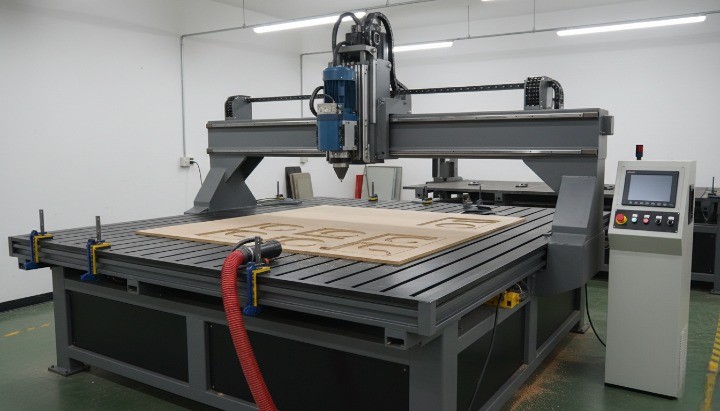
An Overview of CNC Technology
Before talking about CNC routers specifically, it helps to understand the CNC technology behind them.
CNC stands for Computer Numerical Control. In simple terms, it means a machine moves and cuts based on digital instructions instead of manual input. A computer controls position, speed, and tool motion with far more consistency than a human operator can achieve by hand.
Most CNC systems rely on CAD (Computer-Aided Design) files. The CAD file defines the geometry of the part. Once the design is complete, the machine follows that digital model exactly, step by step. The operator does not “guide” the tool. The machine executes a predefined path.
The real value of CNC technology is repeatability. When a design works, the same program can run again and again with predictable results. That reliability explains why CNC technology dominates modern manufacturing, especially for parts that require consistent geometry, clean edges, or scalable production.
Introduction to the CNC Router
A CNC router is one of the most common CNC machines used for cutting sheet-based materials.
At its core, a CNC router uses a rotating cutting tool controlled by a computer. The machine moves the tool across a flat work surface to cut profiles, pockets, slots, and engravings. Instead of pushing the tool by hand, the router follows programmed coordinates with controlled speed and depth.
CNC routers stand out because they combine large working areas with high cutting speed. That makes them ideal for panels, signs, enclosures, and flat components made from wood, plastics, and certain composites. Many shops also use them for light aluminum work when tolerances allow.
Because the entire process runs on digital instructions, the operator focuses on setup and verification rather than constant supervision. Once the program starts, the machine handles the cutting sequence on its own.
The Main Parts of a CNC Router
A CNC router works because several core components function together. Each one plays a specific role in accuracy, stability, and repeatability.
Machine Frame
The frame provides structural support for the entire system. A rigid frame helps reduce vibration and keeps the machine stable during cutting, especially across large sheets.
Router Motor / Spindle
The spindle drives the cutting tool. It spins at high speed and determines how efficiently the material is removed. Different spindles offer different power levels and speed ranges, which directly affect cutting quality and material capability.
X, Y, and Z Axes
Most CNC routers move along three axes. X and Y control horizontal motion across the table, while Z controls cutting depth. Together, these movements allow precise positioning of the tool.
Guide Rails and Linear Guides
Guide rails keep motion straight and controlled. They reduce play and help the machine maintain accuracy as it moves across long distances.
Ball Screws or Rack-and-Pinion Systems
These components convert motor rotation into linear motion. The choice affects speed, accuracy, and maintenance. Ball screws favor precision, while rack-and-pinion systems favor speed and long travel.
Controller
The controller acts as the machine’s brain. It receives code from the software and sends commands to the motors and spindle. Accurate control here determines positioning consistency and depth accuracy.
Workholding (Clamps or Vacuum Table)
Workholding keeps the material fixed during cutting. Mechanical clamps suit smaller parts, while vacuum tables work well for large sheets. Poor workholding causes vibration, edge defects, and dimensional errors.
Dust Collection System
Routing produces chips and dust, especially when cutting wood and plastics. A dust collection system keeps the cutting area clean, protects machine components, and improves operator safety.
Together, these components define how well a CNC router performs. When one element is weak—whether frame rigidity, workholding, or control accuracy—the final part quality reflects it.
How Does A CNC Router Work?

A CNC router works by turning a digital design into a controlled cutting motion. The machine does not “decide” how to cut on its own. Every movement comes from instructions created upstream. Once you understand that workflow, the entire process becomes predictable and repeatable.
Below is the practical, real-world sequence used in most CNC routing operations.
Begin by Designing Your Part
Every CNC routing job starts with a design file. Engineers or designers create the part geometry using CAD software, typically in 2D for profiles or simple panels, and in 3D when pockets or stepped features are involved.
At this stage, the focus is not only shape but intent:
- Overall dimensions and material thickness
- Hole locations and slot widths
- Internal corner radii that match cutter sizes
- Areas that will be cut through versus pocketed
A clean CAD file reduces machining assumptions later. Poor geometry forces the shop to guess, which often leads to cost increases or quality issues.
Set the Cutting Path in CAM Software
Once the design is ready, the CAD file moves into CAM (Computer-Aided Manufacturing) software. CAM defines how the router will cut the part.
Here, the programmer selects:
- Tool types and diameters
- Cutting strategies (profile, pocket, engraving)
- Depth per pass and total cutting depth
- Feed rates and spindle speeds
- Lead-in, lead-out, and tab placement
CAM does not change the design. It translates design intent into motion logic. The quality of this step strongly affects edge finish, cycle time, and tool life.
Set Up the CNC Router and Workpiece
Before cutting starts, the physical setup must match the digital plan.
The operator:
- Places the workpiece on the router bed
- Secures it using clamps or a vacuum table
- Installs the correct cutting tool in the spindle
- Verifies material thickness and flatness
Good workholding is critical. Even a perfect toolpath fails if the material shifts, vibrates, or lifts during cutting.
Load the Program into the Controller
CAM software outputs the cutting instructions as G-code. This code tells the machine where to move, how fast to move, and when to start or stop the spindle.
The operator loads the G-code into the CNC router’s controller. At this point, the digital and physical systems connect. The controller now acts as the translator between code and machine motion.
Establish Machine and Workpiece Reference Points
Before cutting, the CNC router must know where “zero” is.
This step includes:
- Homing the machine to align X, Y, and Z axes
- Setting the work coordinate system on the material
- Defining the Z-zero point based on material surface or fixture
If reference points are incorrect, depth errors and positional drift will appear. Most routing accuracy problems start here, not in the cutting itself.
Run the Cutting Program
Once references are set, the operator starts the program. The controller executes the G-code line by line.
During this phase, the router:
- Moves along the defined toolpaths
- Controls spindle speed and feed rate
- Maintains depth and position across the sheet
The operator monitors cutting behavior, chip formation, and sound. These signals help detect issues such as tool wear, vibration, or incorrect parameters early.
Execute Tool Changes When Required
Some jobs require multiple tools, such as:
- One cutter for profiling
- Another for pocketing
- A smaller tool for engraving
Advanced CNC routers use automatic tool changers to switch tools without stopping the program. Simpler systems require manual tool changes, followed by re-zeroing the Z-axis.
Tool management affects both cycle time and accuracy, especially in multi-step routing jobs.
Manage Chips and Dust During Cutting
Routing generates chips, dust, or fine particles depending on the material. Effective dust collection:
- Keeps the cutting area visible
- Prevents heat buildup
- Protects machine components
- Improves operator safety
In wood and composite routing, dust control is not optional. It directly affects edge quality and long-term machine reliability.
Inspect the Finished Part
After cutting completes, the operator removes the part and inspects it against the design requirements.
Typical checks include:
- Overall dimensions
- Hole positions and slot widths
- Edge quality and surface finish
- Fit against mating components
If the part meets requirements, it moves to packaging or the next production step. If not, feedback loops back to CAD, CAM, or setup for correction.
This closed-loop process is what makes CNC routing reliable when done correctly.
The Main Advantages of CNC Routers
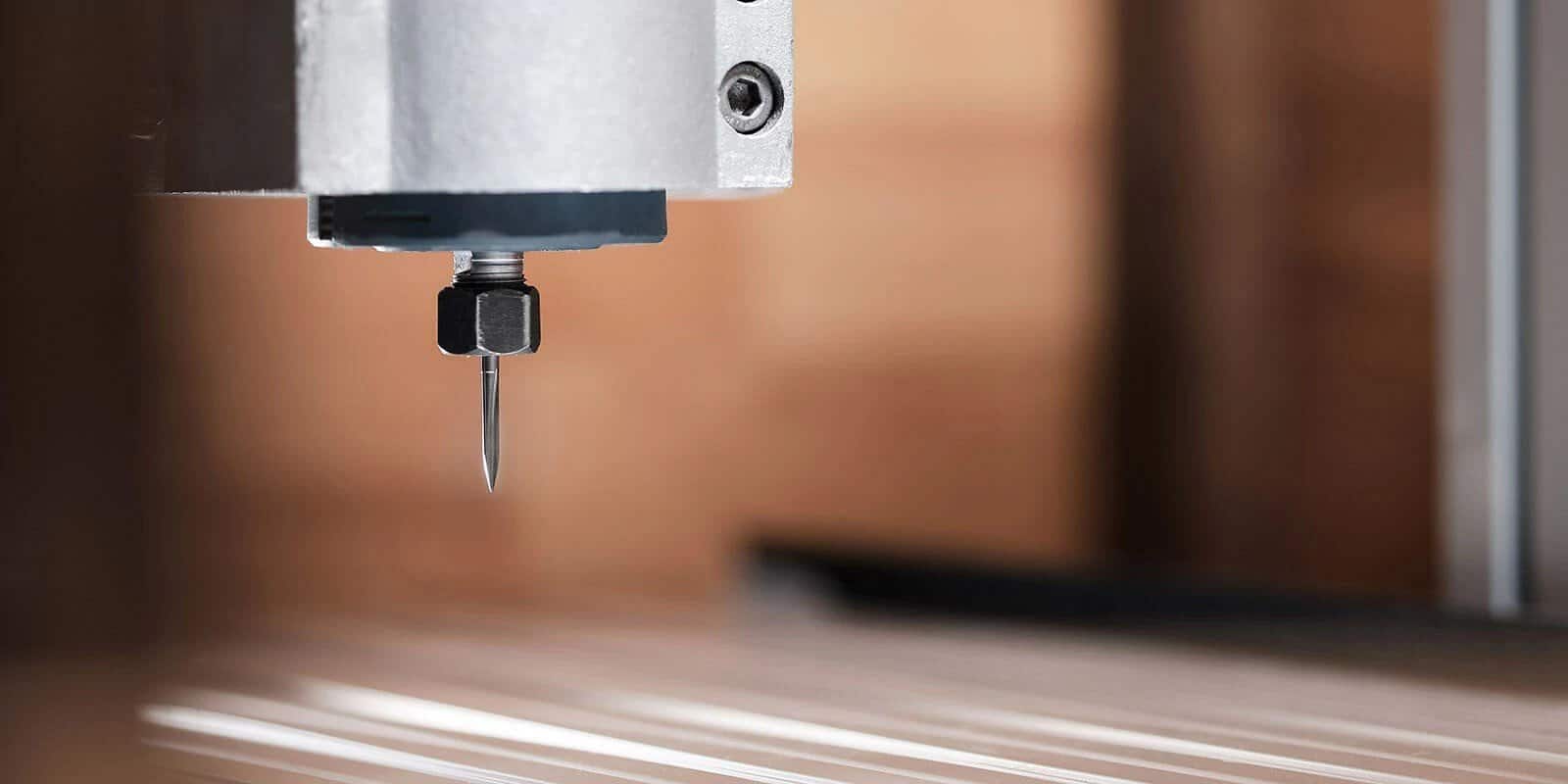
CNC routers are popular because they solve a very specific manufacturing problem well: fast, repeatable cutting of sheet-based materials with controlled accuracy. When used for the right applications, they deliver strong productivity without the cost or complexity of heavier CNC equipment. For many buyers and engineers, understanding how CNC routers fit into a broader quality control and manufacturing workflow is essential to choosing the right process and avoiding costly rework or inspection disputes.
Below are the advantages that actually matter in real manufacturing environments, especially for buyers and engineers.
High Accuracy for Sheet-Based Cutting
Manual routing depends heavily on operator skill. Fatigue, inconsistency, and setup variation all affect results. A CNC router removes those variables.
Once programmed, the machine follows the same coordinates every time. Hole patterns stay aligned, profiles remain consistent, and pocket depths stay within a predictable range. While CNC routers do not match the tight tolerances of CNC mills, they deliver reliable accuracy for panels, plates, and non-critical components, which is often exactly what the application requires.
Easy Repeatability Once the Program Is Proven
One of the strongest advantages of CNC routing is repeatability. After the first part is validated, the same program can run again with minimal variation.
This matters for:
- Batch production of identical panels
- Replacement parts that must match existing assemblies
- Programs that require consistent fit across multiple builds
Repeatability reduces inspection load and rework, which directly lowers total manufacturing cost.
High Cutting Speed and Throughput
CNC routers move quickly across large work areas. Compared to manual routing or slower machining centers, they complete sheet cutting tasks in less time per part.
This speed advantage comes from:
- High traverse speeds on gantry systems
- Efficient nesting of multiple parts on one sheet
- Fewer tool changes for flat geometries
For moderate tolerances and flat components, routing often delivers the best cost-to-output ratio.
Ability to Handle Complex 2D and 2.5D Shapes
CNC routers excel at complex outlines, curves, pockets, and engraved features. Once geometry exists in CAD, the machine can reproduce it accurately.
This capability supports:
- Contoured panels and decorative shapes
- Engraved text, markings, and logos
- Pockets for inserts, fasteners, or electronics
- Multi-level features without repositioning the part
Complex geometry does not significantly slow the machine, as long as the design respects cutter limitations.
Material Flexibility Across Non-Structural Applications
CNC routers work with a wide range of materials, particularly those supplied in sheet form.
Common routing materials include:
- Wood, plywood, MDF
- Plastics such as acrylic and polycarbonate
- Composites and laminates
- Foams and rubber sheets
- Thin aluminum plates when tolerances allow
This flexibility allows routing to support multiple industries using the same equipment platform.
Strong Support for Custom Designs
CNC routing is software-driven. That makes customization straightforward.
When a design changes, the shop updates the file rather than retooling hardware. This is especially valuable for:
- Custom enclosures
- Low-volume product variants
- Branding and aesthetic changes
- Early-stage product development
Customization costs stay low because tooling lives in the digital workflow, not in fixed dies.
Scalable From Prototypes to Production
CNC routers adapt well across different production volumes. The same machine can cut one prototype today and hundreds of identical parts tomorrow.
This scalability helps teams:
- Validate designs before committing to other processes
- Increase output without major process changes
- Maintain consistency across different build stages
Routing often acts as a bridge between early prototypes and higher-volume manufacturing.
Relatively Simple Setup Compared to Other CNC Processes
Compared with multi-axis machining centers, CNC routers are easier to set up and operate for flat parts. Workholding is simpler, programming is faster, and cycle planning is more straightforward.
That simplicity:
- Reduces setup time
- Lowers operator training requirements
- Speeds up turnaround for new jobs
For sheet-based components, this ease of use becomes a practical advantage, not just a convenience.
What Industries Make Use of CNC Routers?
Because many industries rely on sheet materials, CNC routers appear across a wide range of applications. Their value comes from matching the process to the part type, not from trying to replace every other CNC method. In many cases, teams use routing alongside small-batch CNC machining for prototypes and low-volume parts to balance speed, cost, and functional accuracy.
Carpentry and Woodworking
Woodworking remains the most common use case for CNC routers. Furniture, cabinetry, and interior components rely on flat panels and repeatable joinery patterns.
Typical outputs include:
- Cabinet panels and doors
- Furniture profiles and decorative elements
- Hardware mounting patterns
- Templates and fixtures
Routing improves consistency while reducing manual labor.
Advertising and Sign Manufacturing
Sign makers use CNC routers for clean edges, precise lettering, and repeatable branding elements.
Common products include:
- Routed letters and logos
- Acrylic and composite sign panels
- Engraved plaques and nameplates
In this industry, edge quality and visual consistency matter as much as dimensions.
Industrial and Light Metal Applications
CNC routers can process thin aluminum and other soft metals for non-structural components.
Typical parts include:
- Aluminum plates and covers
- Mounting panels and brackets
- Enclosure faceplates
When tolerances tighten or features become functional, CNC machining often replaces routing.
Plastic and Polymer Fabrication
Plastics machine cleanly on CNC routers and suit panel-style designs.
Applications include:
- Equipment housings
- Protective covers and guards
- Insulating and spacer plates
Routing supports fast production without the complexity of injection tooling.
Rubber and Foam Processing
CNC routers also handle flexible materials such as rubber, EVA foam, and packaging foams.
These materials support:
- Custom gaskets
- Protective inserts
- Shock-absorbing components
Controlled cutting improves consistency compared with die cutting at low volumes.
Aerospace and Transportation Prototyping
In aerospace and transportation, CNC routers often support non-structural parts and prototypes rather than flight-critical components.
Typical uses include:
- Interior panels
- Composite sheets for testing
- Tooling boards and fixtures
Here, routing speeds up development while keeping costs manageable.
Product Development and Prototyping
Across all industries, CNC routers play a key role in prototyping.
They allow teams to:
- Validate form and fit
- Test assembly sequences
- Iterate designs quickly
Routing shortens development cycles without locking teams into high-cost tooling.
Medical and Healthcare Equipment
CNC routers support medical manufacturing primarily through enclosures, panels, and non-load-bearing components. In regulated environments, these routed parts are often paired with CNC machining for medical device components to ensure precision, compliance, and functional reliability where it matters most.
Examples include:
- Equipment covers and housings
- Clear protective shields
- Internal partitions and mounts
For implants and precision metal parts, CNC machining remains the preferred process. Routing supports the surrounding structures, not the critical interfaces.
CNC routers are not universal machines, but they are highly effective within their domain. When applied to the right materials and geometries, they deliver speed, consistency, and cost control that many other processes cannot match.
Key Considerations Before Using or Choosing a CNC Router

Choosing a CNC router should never be a default decision. It should be the result of matching material behavior, tolerance needs, and production intent to what routing actually does well. Most cost overruns and quality disputes I see come from skipping this evaluation step.
This section walks through the practical questions buyers and engineers should answer before committing to CNC routing.
Material Type and Thickness
Material is the first gatekeeper in CNC routing. Not every material behaves the same under high-speed, low-force cutting.
CNC routers perform best with sheet-based materials that do not require heavy cutting forces. These include wood products, plastics, composites, foams, and thin aluminum plates. As thickness increases, rigidity and workholding become more critical.
Key material considerations:
- Thin sheets cut quickly but can vibrate or lift without strong vacuum hold-down
- Plastics can melt or chip if feeds and speeds are wrong
- Composites can fray and accelerate tool wear
- Aluminum can be routed, but only within limited thickness and tolerance ranges
Do not ask whether a router can cut your material. Ask whether it can cut it consistently at your required thickness and quality level. That distinction matters more than machine capability claims.
If you do not specify material grade, thickness, and sheet type in your RFQ, suppliers will price different assumptions.
Tolerance and Surface Finish Requirements
Tolerance expectations define whether routing is appropriate or risky.
CNC routers typically deliver moderate dimensional accuracy, which works well for panels, cutouts, and non-critical interfaces. They do not compete with CNC mills on tight GD&T, precision bores, or functional metal features.
To avoid ambiguity:
- Call out critical dimensions explicitly
- Use general tolerances for non-critical features
- Avoid blanket tight tolerances across the entire drawing
Many engineering teams reference ISO 2768 for general tolerances on non-critical dimensions to reduce over-specification and quoting confusion. This standard helps align expectations without inflating cost.
Surface finish needs the same discipline. If an edge is cosmetic, say so. If a surface mates or seals, define roughness only where function demands it.
Over-tolerancing is one of the fastest ways to make CNC routing expensive without improving performance.
Production Volume and Repeatability
CNC routing supports a wide range of volumes, but the economics change as scale increases.
Routing works well for:
- Prototypes and early-stage builds
- Small to medium batch production
- Programs with frequent design changes
Repeatability depends less on the machine and more on:
- Stable workholding
- Consistent material supply
- Controlled tool wear
- Clear datum strategy
If your part must match across thousands of units with tight functional alignment, you should verify whether routing still provides enough process margin.
High volume alone does not disqualify routing. High functional risk does.
CNC Router vs CNC Machining: Process Selection
This is the most important decision point, and many teams get it wrong.
Use a CNC router when:
- The part behaves like a panel or plate
- Geometry is primarily 2D or 2.5D
- Tolerances are moderate
- Speed and material yield matter more than microns
Use precision CNC machining for tight-tolerance parts when:
- The part includes precision datums or tight GD&T
- Metal features carry load or align assemblies
- You need controlled flatness, perpendicularity, or true position
- Surface finish affects sealing or wear
If your drawing includes bearing seats, threaded metal interfaces, or sealing faces, CNC machining usually offers a safer capability window.
Process selection should protect function first, then optimize cost. Not the other way around.
Design-for-Manufacturability and Common Mistakes
Most CNC routing problems start in design, not on the machine.
Common mistakes I see in routing RFQs:
- Sharp internal corners that ignore cutter radius
- Very thin webs that chatter or break
- Holes smaller than available tool diameters
- No defined datum surfaces for hole patterns
- Cosmetic requirements stated as “no marks” with no criteria
- Missing material thickness or grade
Practical DFM improvements:
- Add inside corner radii aligned with standard tool sizes
- Increase minimum feature widths where vibration occurs
- Define cosmetic “A surfaces” versus hidden surfaces
- Identify which holes drive assembly alignment
- Limit inspection to truly critical features
A design that respects routing physics quotes faster, cuts cleaner, and scales more reliably.
Good CNC routing outcomes come from clear intent, not optimistic assumptions.
Conclusion
Summary of CNC Router Capabilities and Limitations
A CNC router is a powerful manufacturing tool when you use it for what it does best. It excels at cutting sheet-based materials quickly, consistently, and at scale. Panels, enclosures, signs, covers, and non-structural components all fit well within its capability range.
At the same time, a CNC router has clear limits. It cannot replace CNC machining for tight metal tolerances, precision datums, bearing interfaces, or load-critical features. Understanding those boundaries is what separates smooth production from costly redesigns. The router’s value comes from speed, repeatability, and flexibility—not from extreme precision.
Making the Right Manufacturing Decision
The right manufacturing decision starts with function, not price. When you align material, geometry, tolerance, and volume with the correct process, cost and quality fall into place naturally.
If you are unsure whether CNC routing or CNC machining fits your part, treat it as an engineering decision, not a guessing exercise. Share your drawing, material, tolerance drivers, and volume expectations early. Contact HM for a manufacturing quote and let our engineering team review your design intent to recommend the most reliable manufacturing path for your project.
Choosing the right process upfront is the fastest way to protect quality, control cost, and keep your project on schedule.